Claude for SharePoint vs. a Custom Azure Chatbot: A Head-to-Head Test
Published:
Give me the TL;DR of this article with:
 ChatGPT
 Claude
 Perplexity
 Google AI
 Grok
GrokMany teams with extensive documents and videos in SharePoint need a more efficient way to find information. The choice often comes down to two paths: adopting a ready-made AI tool like Claude, which adds another monthly subscription, or building a custom internal chatbot on a platform like Azure, where you pay for usage instead of per-user seats.
We decided to compare these two approaches directly. We connected Anthropic's Claude to a SharePoint site and put it head-to-head with our own custom Azure-based chatbot. You can see the full comparison in our latest video: https://youtu.be/UVKU7VFxY3c
The Testing Framework
To get a clear picture, we didn't just ask generic questions. We tested both systems across seven specific file types that represent the kind of data chaos many organizations face:
- Excel spreadsheets
- PDF documents
- PowerPoint presentations
- Scanned documents
- Technical drawings
- Images
- Internal videos
How the AIs Handled Different Data
The tests revealed a significant gap in capability. For text-based files like PDFs and PowerPoint presentations, Claude performed reasonably well. It could find specific rules within a PDF and pull information from presentation slides, even providing a link to the source document.
However, its limitations became clear with more complex, non-text data. When we asked for information from a scanned technical drawing, Claude couldn't find the document. It also stated it was unable to retrieve or display photos directly from SharePoint, failing a simple image search task that the custom chatbot handled easily.
The Video Search and Timestamp Test
The most interesting test involved video. We asked both systems to search internal videos for specific topics. Our custom solution was able to identify the exact moments a topic was mentioned and provide clickable timestamps to jump directly to that point in the video. This is a critical function for teams working with long recordings of meetings or training sessions. Claude was unable to perform this kind of deep search within video content.
The Logic: Why a Custom Build Handles More
The core difference isn't the AI model itself, but the data processing pipeline. A tool like Claude connects to SharePoint as a data source but is limited by its pre-built capabilities. It primarily works with text-based content it can easily read.
Our custom system, built on Azure, uses a different approach. We built a data ingestion and indexing pipeline that can handle a wider variety of file types. This involves a process known as Retrieval-Augmented Generation (RAG), where documents are broken down, converted into a searchable format (embeddings), and stored in a vector database like Azure AI Search. This allows the system to search based on meaning and context, not just keywords, across different formats.
For non-searchable data like images and scans, we integrate logic to process them first. For videos, the system transcribes the audio and indexes it with timestamps. This preparation is what allows the chatbot to answer questions about content that a standard connector would miss.
The Outcome: Precision and Cost
The results were clear. While Claude is a capable tool for basic document retrieval, it struggles with the messy reality of diverse enterprise data. It couldn't handle scanned drawings, images, or timestamp-based video search.
The custom Azure chatbot successfully answered queries across all seven categories. It provided precise answers, cited sources down to the page number, retrieved images, and offered direct links to video timestamps.
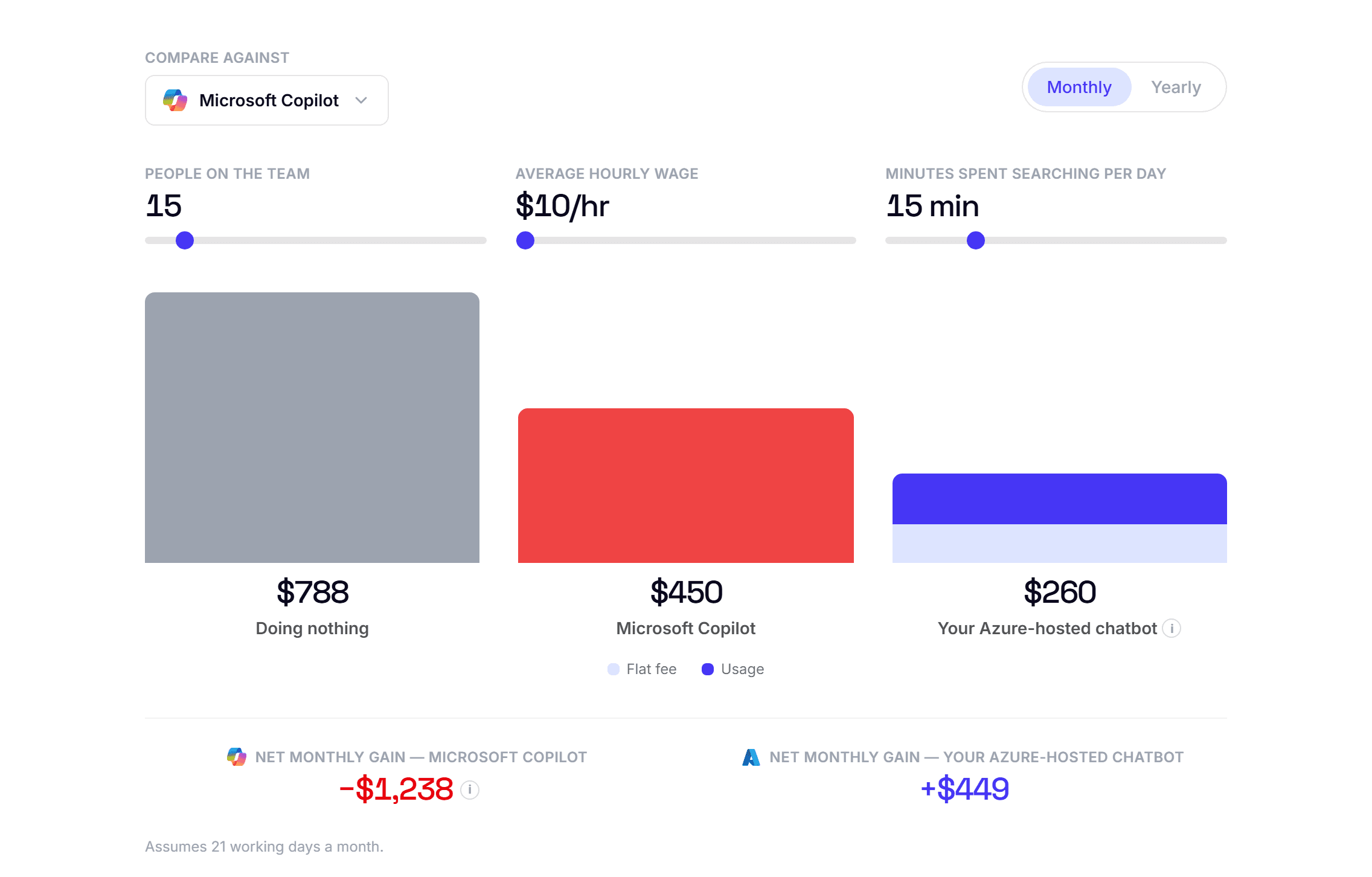
Beyond performance, the cost model is a significant factor. Per-user pricing for enterprise AI can range from $30 to over $50 per user per month. A custom solution built on Azure shifts the cost from fixed user licenses to variable usage fees. For a team of 30, you pay only for the resources they actually consume, which can be a more efficient model.