Microsoft Copilot vs Custom Azure Chatbot for Enterprise Search
Saņem šī raksta TL;DR ar:
 ChatGPT
 Claude
 Perplexity
 Google AI
 Grok
Grok
Many organizations roll out Microsoft Copilot expecting it to immediately fix their internal data retrieval. The assumption is that connecting an AI to SharePoint means employees can ask a question and get an exact answer.
The reality looks different. When a team member asks for a specific schematic from a 200-page PDF, Copilot often points them to the document itself. The user still has to open the file and manually search for the information. If you read through Microsoft's Copilot documentation, you'll see it is heavily optimized for general productivity rather than precision data extraction.
The gap in standard enterprise search
When I look at how teams actually use these tools, the frustration usually comes from the final step of the search. Standard enterprise AI tools are built to find files. They are not always built to read them deeply.
To solve this, we didn't try to force Copilot to behave differently using prompt engineering. We built a custom internal chatbot hosted on Azure that changes how the system interacts with the files. We chose this approach because we needed to prioritize precision over a conversational chat experience.
Here is where the standard tools usually hit a wall, and how we handled the logic differently:
- PDF deep-linking: Standard tools return the file. We built the logic to return the exact paragraph and page number.
- Presentations and Excel: Copilot often requires users to download the PowerPoint or navigate through Excel sheets manually. Our custom setup parses the data directly, returning the specific cell value or slide content without requiring a download.
- Scans and technical drawings: Non-searchable data is a blind spot for basic setups. We integrated OCR logic to read text inside images and scanned documents.
- Long-form video: If a company has hours of recorded meetings or training videos, standard search cannot watch them. We built an indexing system that returns exact timestamps for when a specific topic was discussed.
You can watch the full breakdown and demo of these differences here: https://youtu.be/JEx1C7lfenw
Usage-based pricing vs per-user licenses
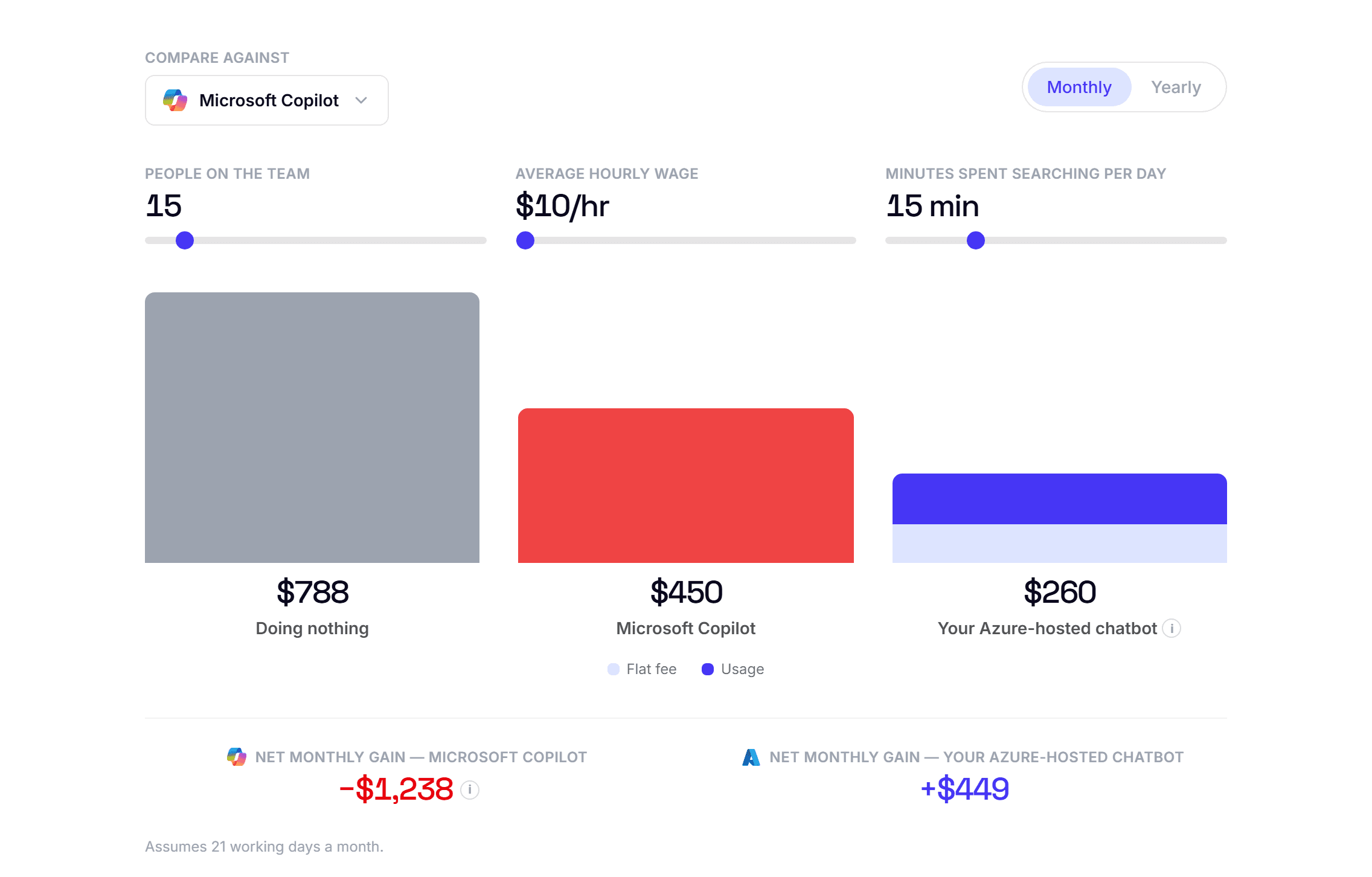
The other factor is the licensing model. Copilot operates on a strict annual per-user license. If you have 500 employees, you pay for 500 licenses, regardless of whether someone uses the tool ten times a day or once a month. Customizing this further through Copilot Studio adds even more to the base cost.
We chose a usage-based approach on Azure for our custom chatbot solutions. You pay for the compute and the API calls.
If a team spends 30 minutes a day manually digging through folders, the cost of that wasted time adds up quickly. But paying a flat fee for every user to have an AI assistant often overshoots the actual usage requirements. By hosting the custom AI on Azure, the infrastructure scales with actual queries. The company only pays for the data processed, which makes the math work out much better for organizations that dont need heavy AI usage from every single employee every day.